


CartCubes Toolbox for FluentCart 1.3.0 (2 Nov 2026) adds EU Base Price. Shoppers see a price per unit next to the selling price, so packs of different sizes can be compared on the same unit. See the EU Base Price page and the changelog.
What the shopper sees
A 100 g pack at 7.00, with the reference set to 100 g, shows Base price: 7.00 / 100 g. A 250 g pack at 12.50 with the same reference shows 5.00 / 100 g. The line follows the variation the shopper selects.
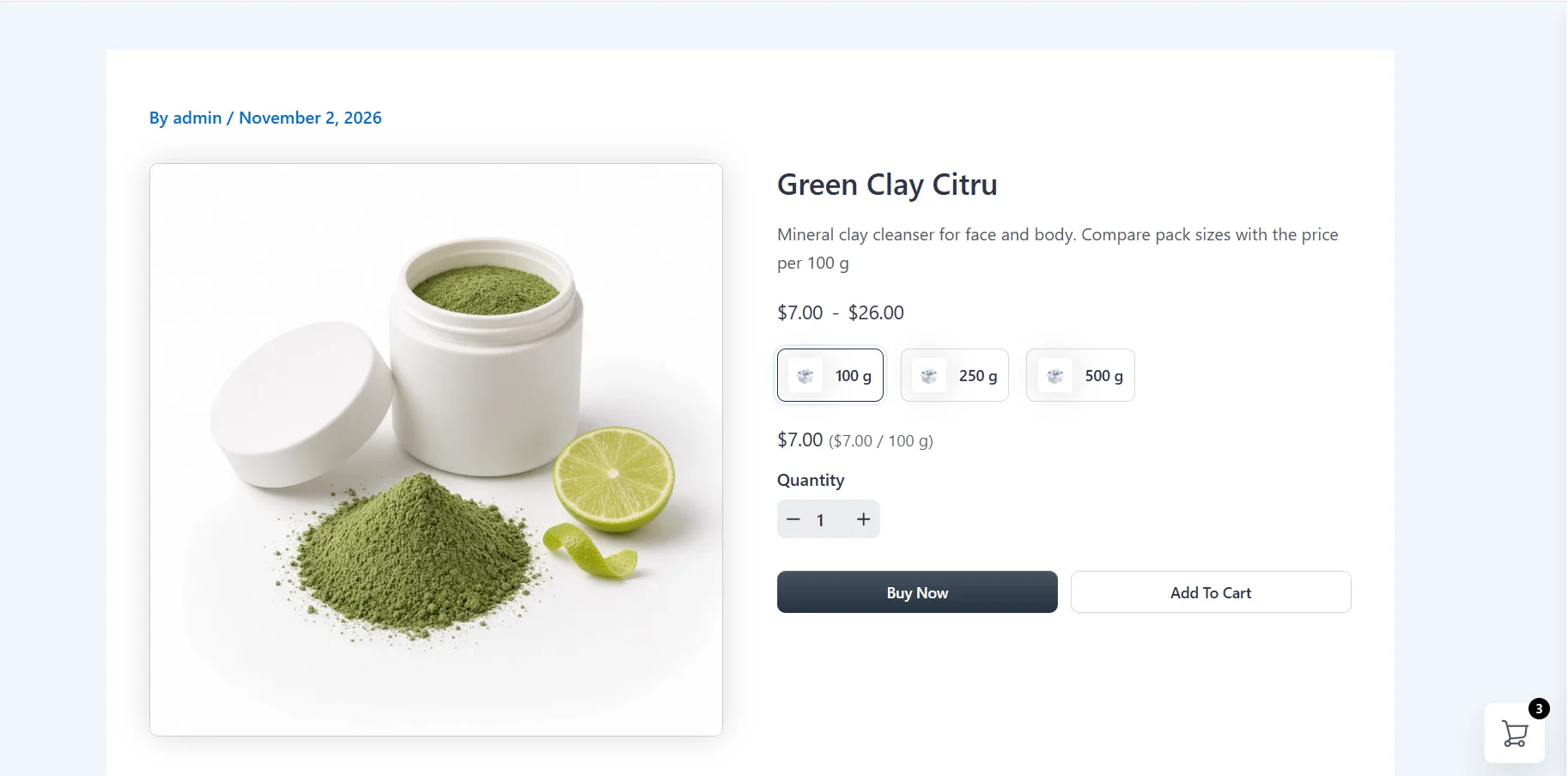
Try it on the Green Clay Citrus demo product.
How to use it
- Open EU Base Price. In WordPress, go to FluentCart, then Toolbox, then the EU Base Price tab.
- Turn it on and save. Products that already have a weight show the unit price. You do not switch it on for each product.
- Set the unit and the reference. Auto uses the store weight unit. A reference of 100 with grams shows the price per 100 g. A reference of 1 with kilograms shows the price per kg, and the 1 is left off: 7.00 / kg.
- Set the net fill on each variation. Use the amount in the pack, not the shipping weight. The unit price is calculated from that weight.
- Change a product only when you need to. On the product, you can hide the line, set one net amount for every variation, or type a manual base price.
- Check the storefront. Open the product page, the shop, and checkout. The line should change when another pack size is selected.
General settings
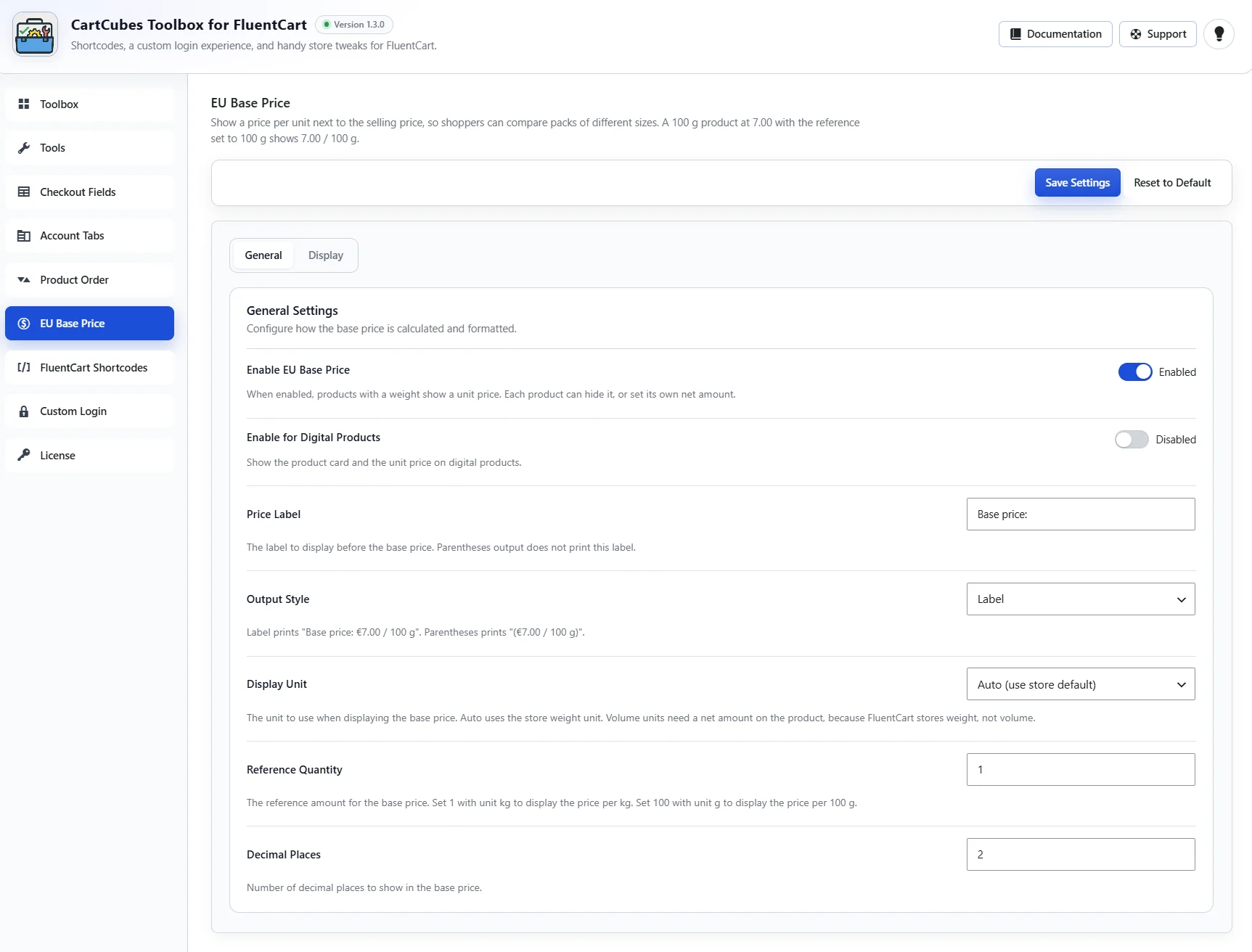
General is where the number is calculated and formatted. The formula is the selling price, divided by the net amount, then multiplied by the reference quantity.
- Enable EU Base Price – the store switch. Off, and nothing is shown. On, products with a weight show a unit price.
- Enable for Digital Products – off by default. Digital products hide the product card and the unit price until this is on.
- Price Label – the words before the figure. The default is “Base price:”. Parentheses output does not print this label.
- Output Style – Label prints “Base price: 7.00 / 100 g”. Parentheses prints “(7.00 / 100 g)”.
- Display Unit – Auto uses the store weight unit. Weight units are grams, kilograms, pounds, and ounces. Volume units are milliliters, liters, cubic meters, and cubic centimeters. Volume needs a net amount on the product, because FluentCart stores weight, not volume.
- Reference Quantity – the amount the price is quoted for. Set 100 with grams for a price per 100 g. Set 1 with kilograms for a price per kg.
- Decimal Places – from 0 to 6. The default is 2.
Display settings
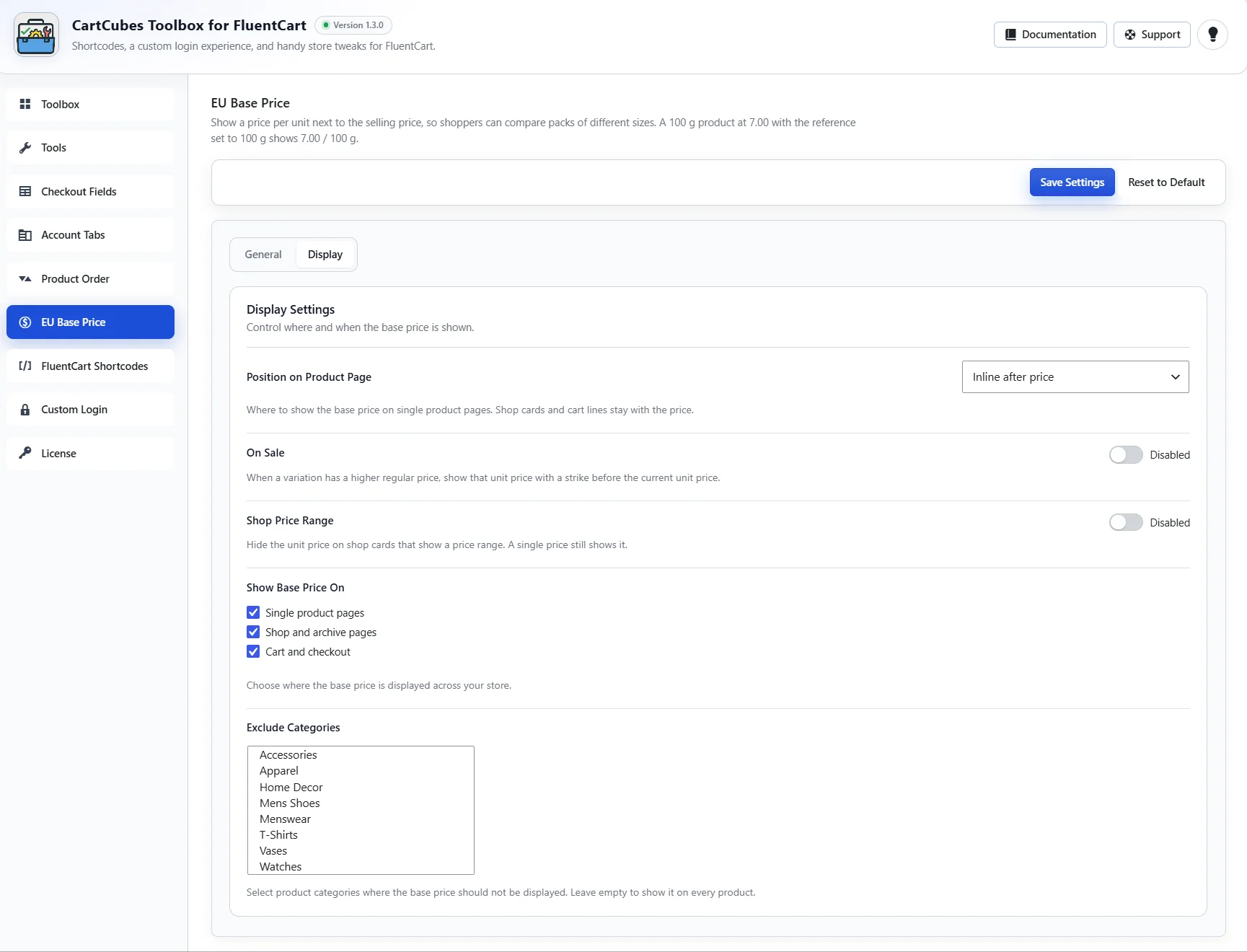
Display controls where the line sits, and where it stays hidden.
- Position on Product Page – Inline after price, Below the price, Before Add to Cart, or After Add to Cart. Before Add to Cart puts the line on its own after the quantity. Shop cards and cart lines stay with the price. Position only changes the product page.
- On Sale – when the regular price is higher than the selling price, show that unit price with a strike, then the current unit price. Off by default. A manual base price does not show the strike.
- Shop Price Range – hide the unit price on shop cards that show a low-to-high price. A single price still shows it. Off by default.
- Show Base Price On – single product pages, shop and archive pages, and cart and checkout. All three are on by default.
- Exclude Categories – product categories that should not show the unit price. Leave this empty to show it on every product.
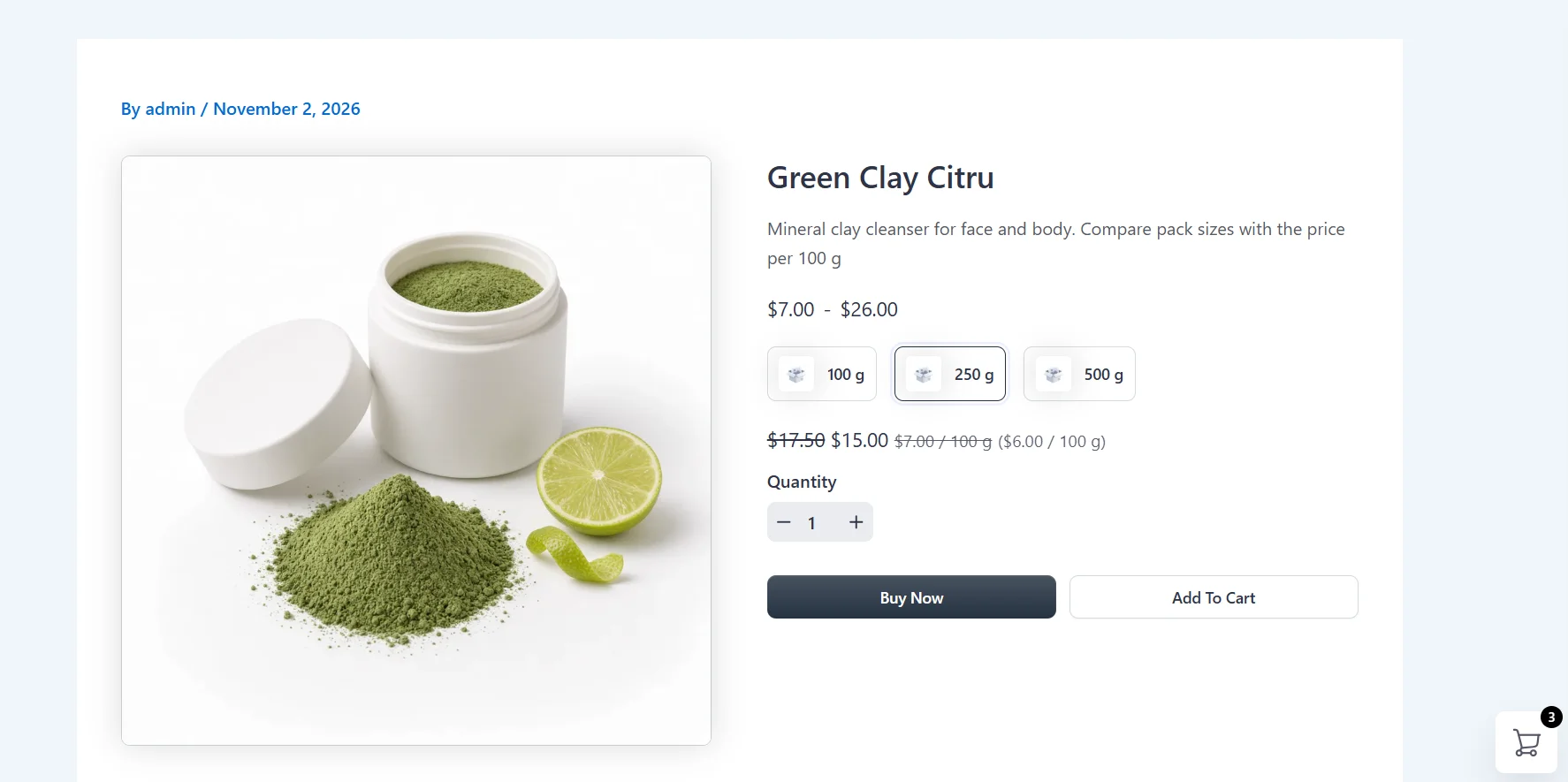
On the shop, the unit price sits with the product price. On checkout, it sits under the line total.
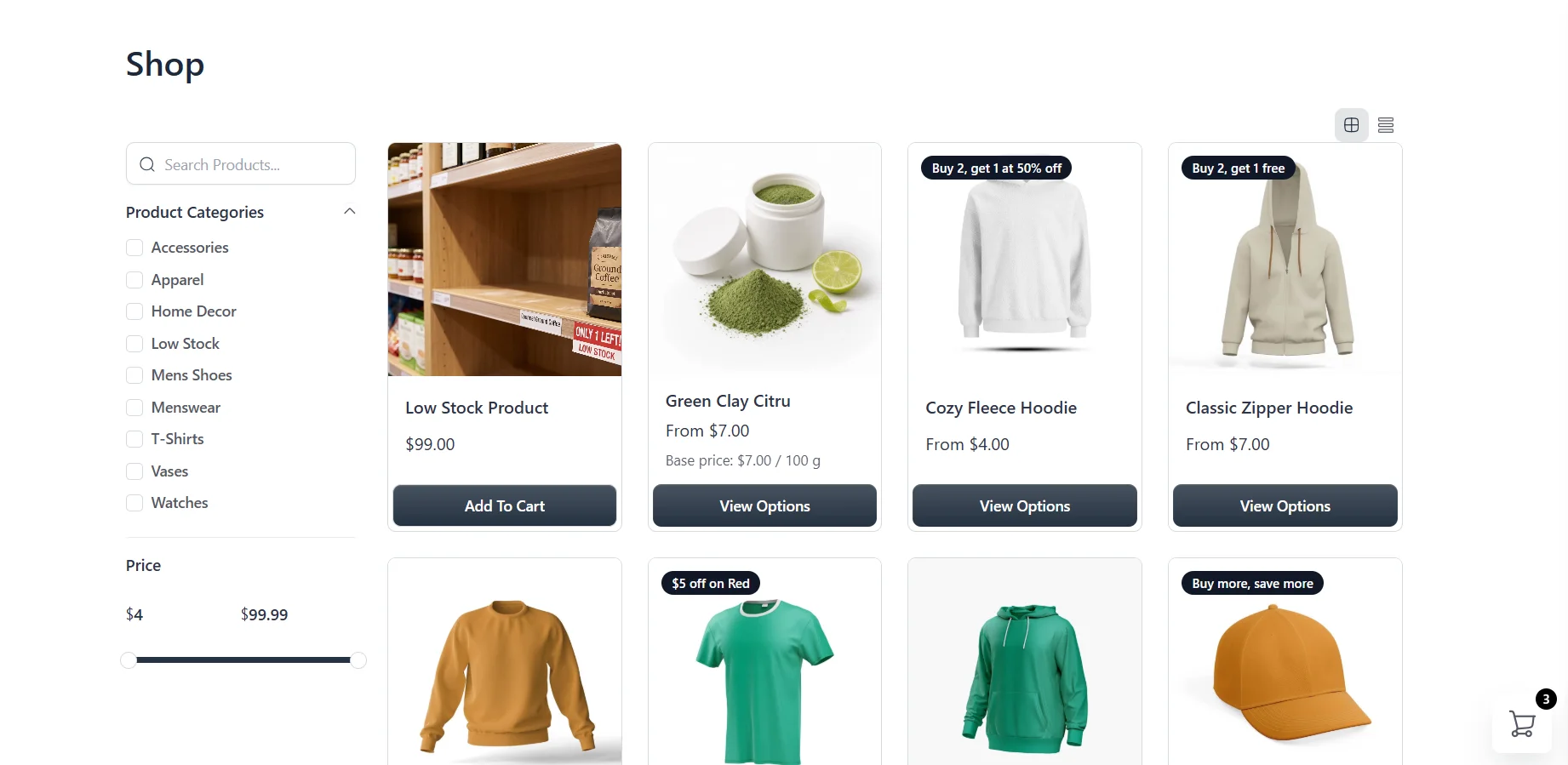
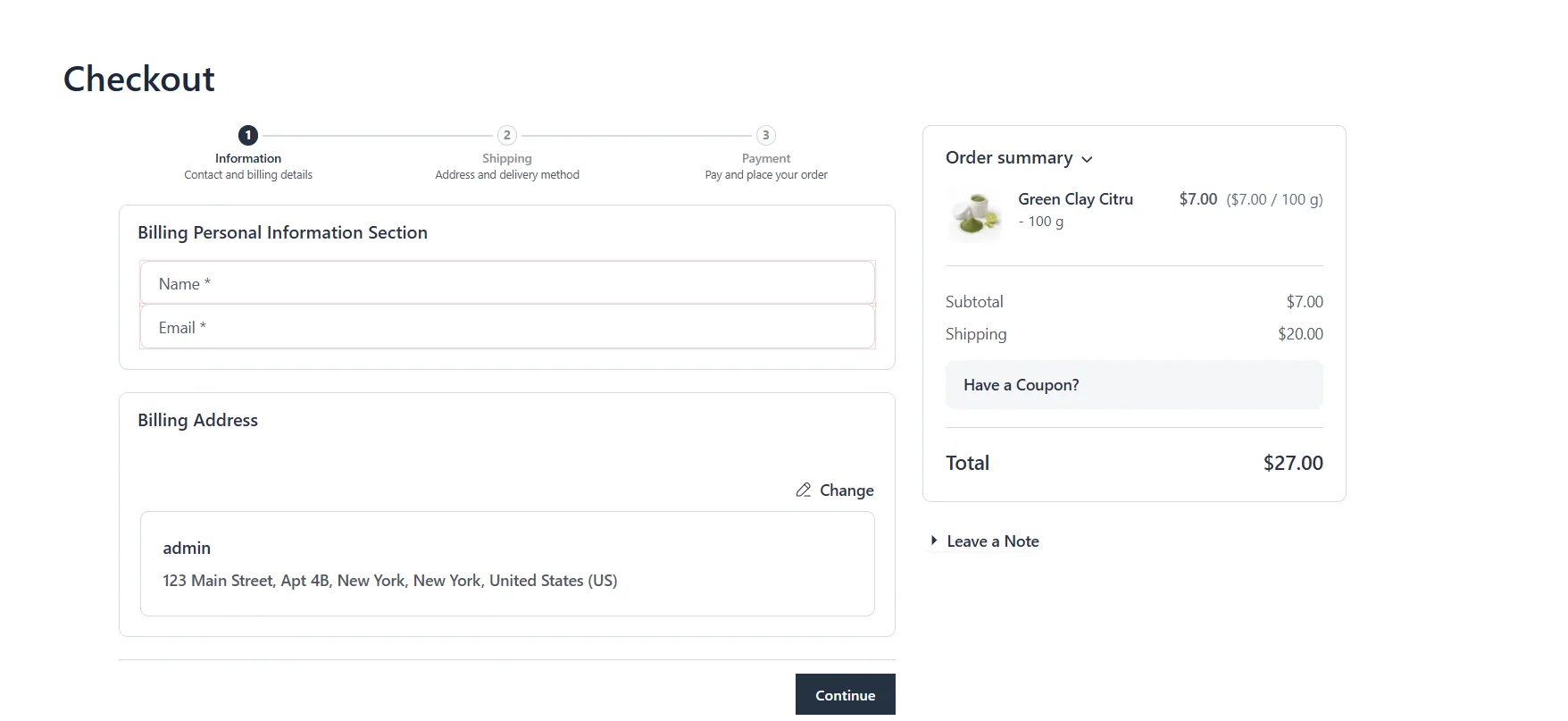
On the product
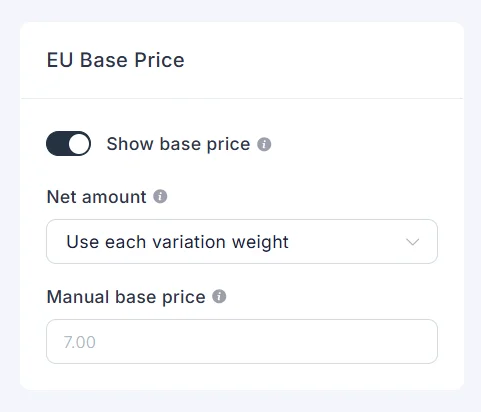
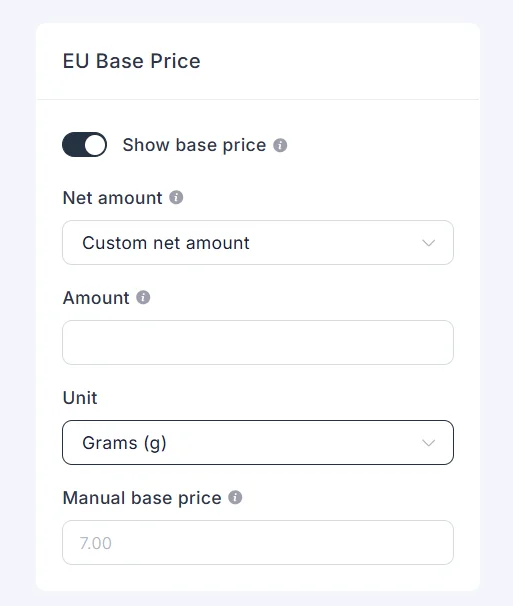
After the store switch is on, a product with a weight is included. Open the EU Base Price card on the product only when that product needs a change.
- Show base price – on by default. Turn it off to hide the line on this product.
- Use each variation weight – use this when pack sizes differ. Set each variation weight to the net fill.
- Custom net amount – one amount and one unit for every variation. Use this for volume, such as 750 ml, because FluentCart does not store a volume.
- Manual base price – prints the figure you type and ignores the weight. It applies to every variation, and it does not show a struck regular unit price.
When the line stays hidden
- The product has no weight, and no custom net amount.
- The unit does not match the amount. Grams cannot be converted to milliliters.
- The product is a subscription.
- The product is in an excluded category.
- The product is digital, and Enable for Digital Products is off.
- Show base price is off on that product.
Get started
Update Toolbox from your WordPress dashboard. Open EU Base Price, turn it on, and set the reference. See the demo product and the changelog.

More from the blog
-

Toolbox 1.4.0: request a quote and product instructions
Shoppers can request a quote, and each product can show instructions on the receipt, the thank…
-

Gift Card 1.1.0: the FluentCart list, after tax, and order totals
Open Gift Cards from FluentCart. Filter and search the list, apply a card after tax, use…
-
Toolbox 1.2.8: order documents and repeat subscriptions
Attach PDFs to the customer order confirmation, and stop a second purchase of an active or…