

CartCubes Toolbox for FluentCart 1.2 (19 Sep 2026) adds checkout controls, download limits, staff-only product data, purchase blocks, and smarter Checkout Fields. Toolbox is now 39 store tools and six field types, including Date. See the Toolbox page and the changelog.
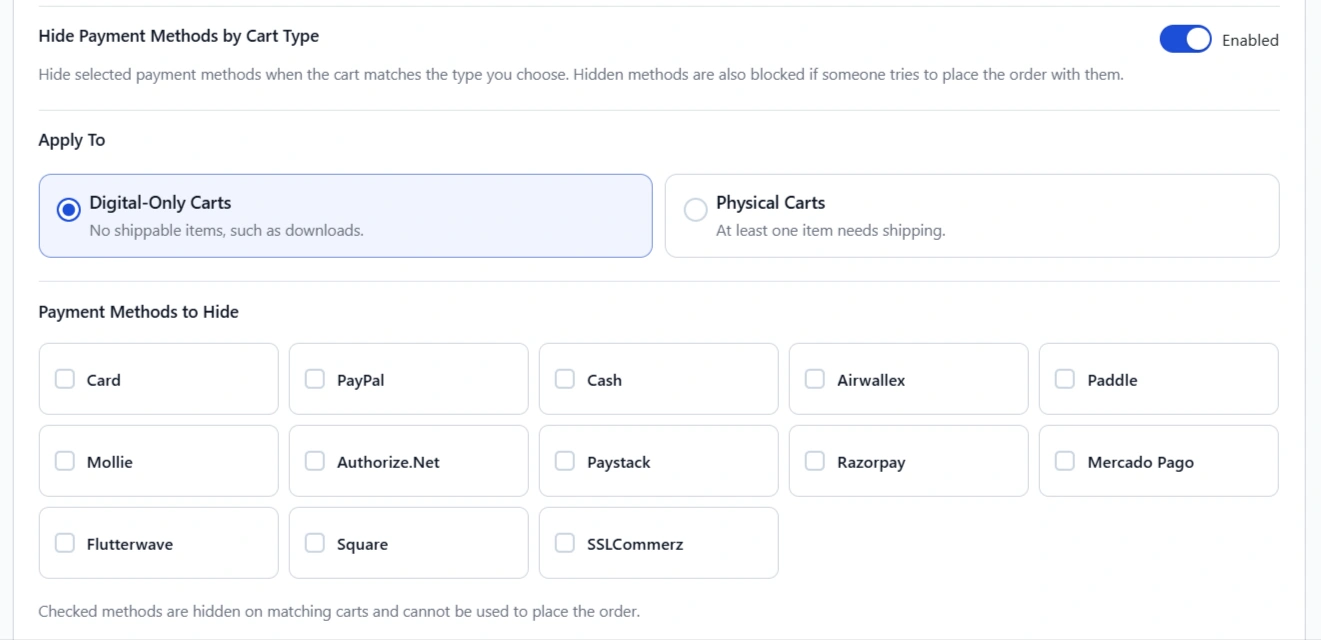
Hide payment methods by cart type
Hide selected payment methods by cart type. Hide Cash on Delivery on digital-only (download) checkouts, or hide methods on physical carts. Place order uses the same rule, so a hidden method cannot be posted.
Use this when a digital cart should not offer COD, or a shipped cart should not show a digital-only method. Shoppers only see gateways that match what is in the cart.
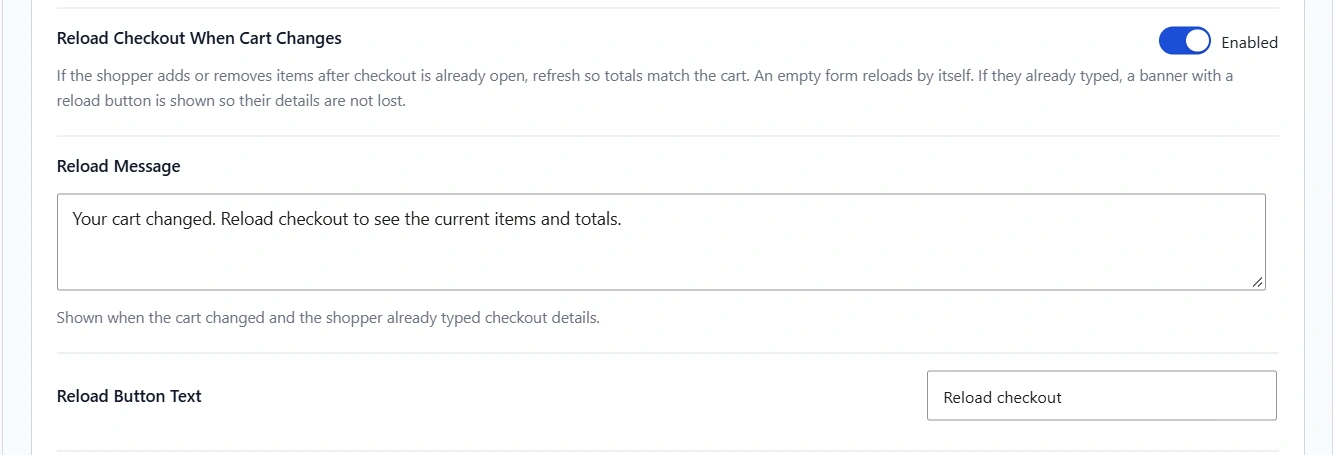
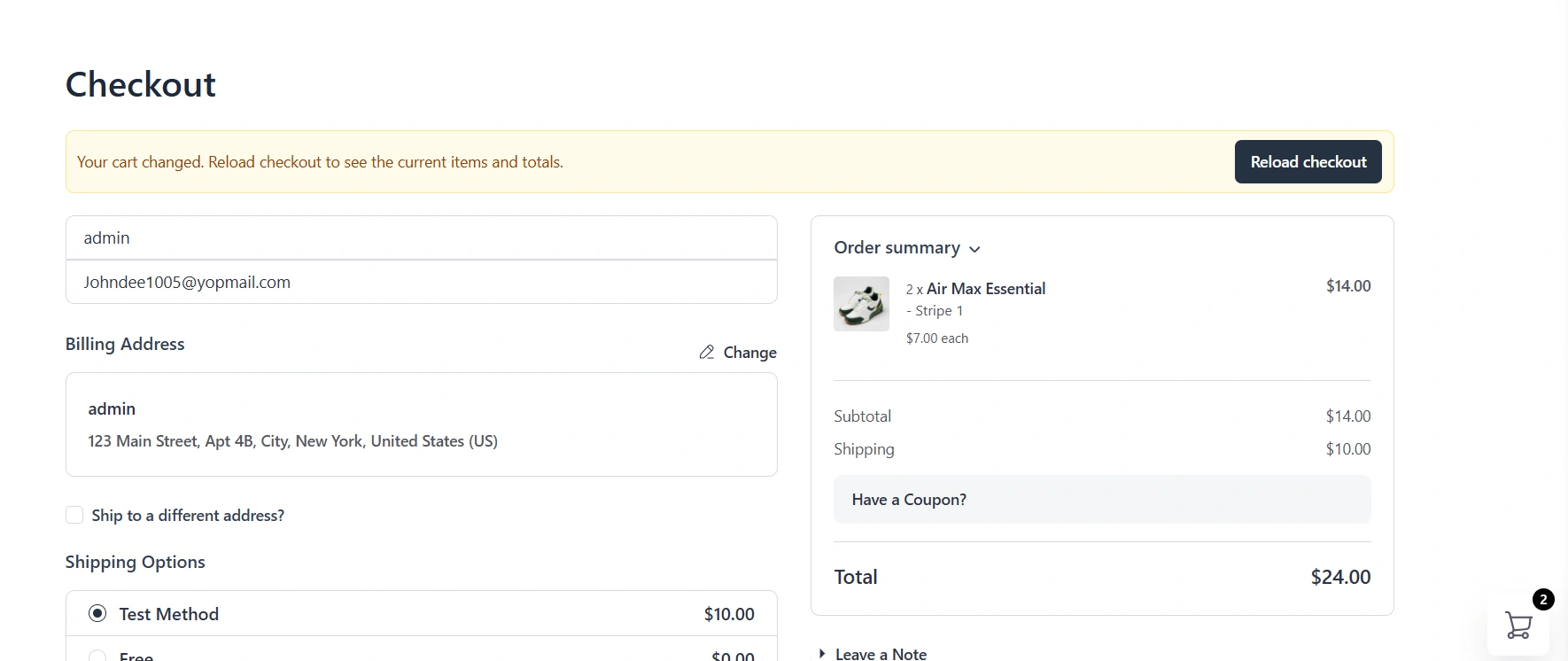
Reload checkout when the cart changes
If the cart changes in another tab, an empty form refreshes by itself. If the shopper already typed, a banner with a reload button is shown so their details are not lost.
Use this when someone shops in two tabs: they add an item in one tab, then return to checkout. The form stays in sync with the cart, without wiping a half-filled address unless they choose to reload.
Download limits
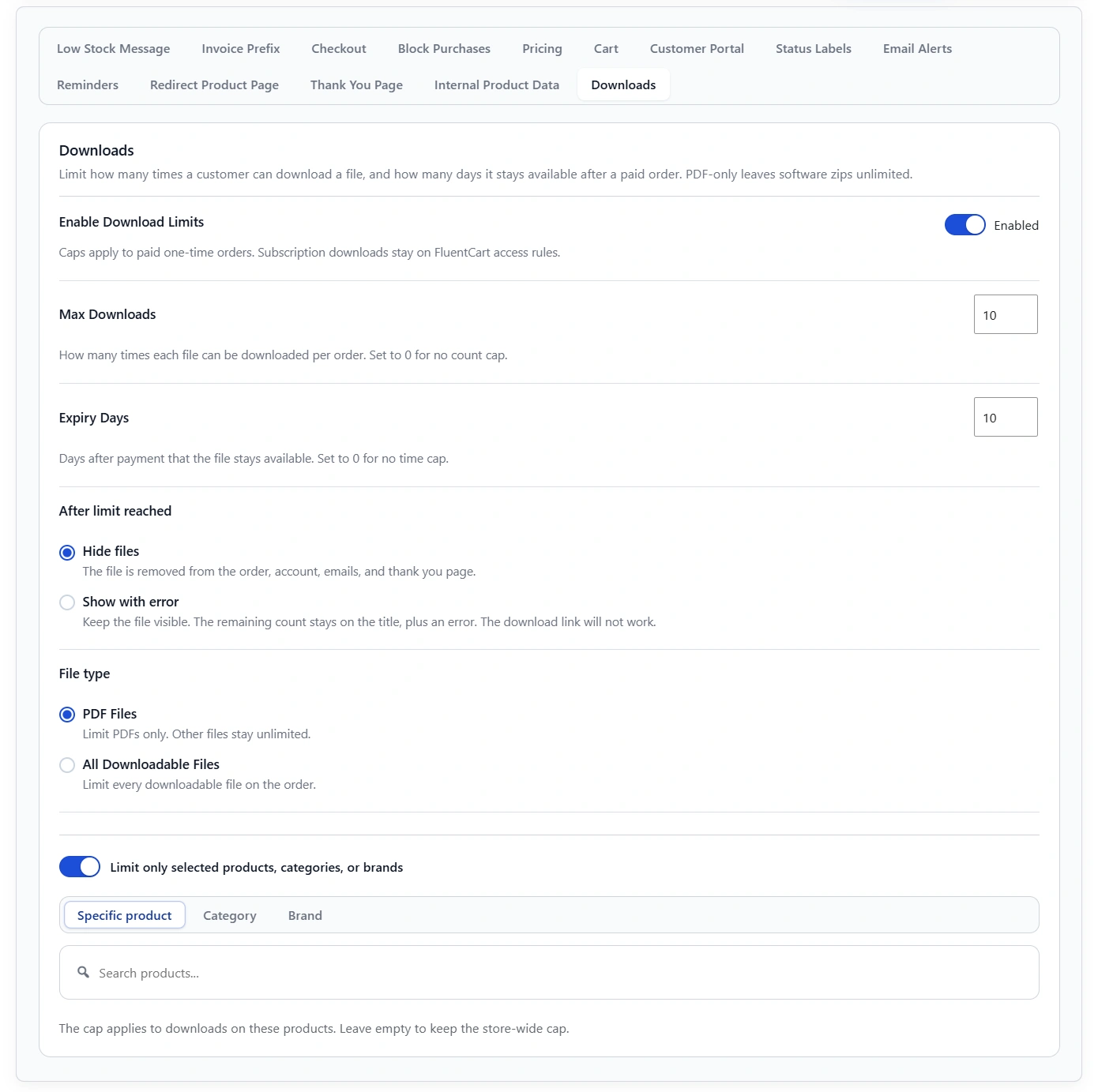
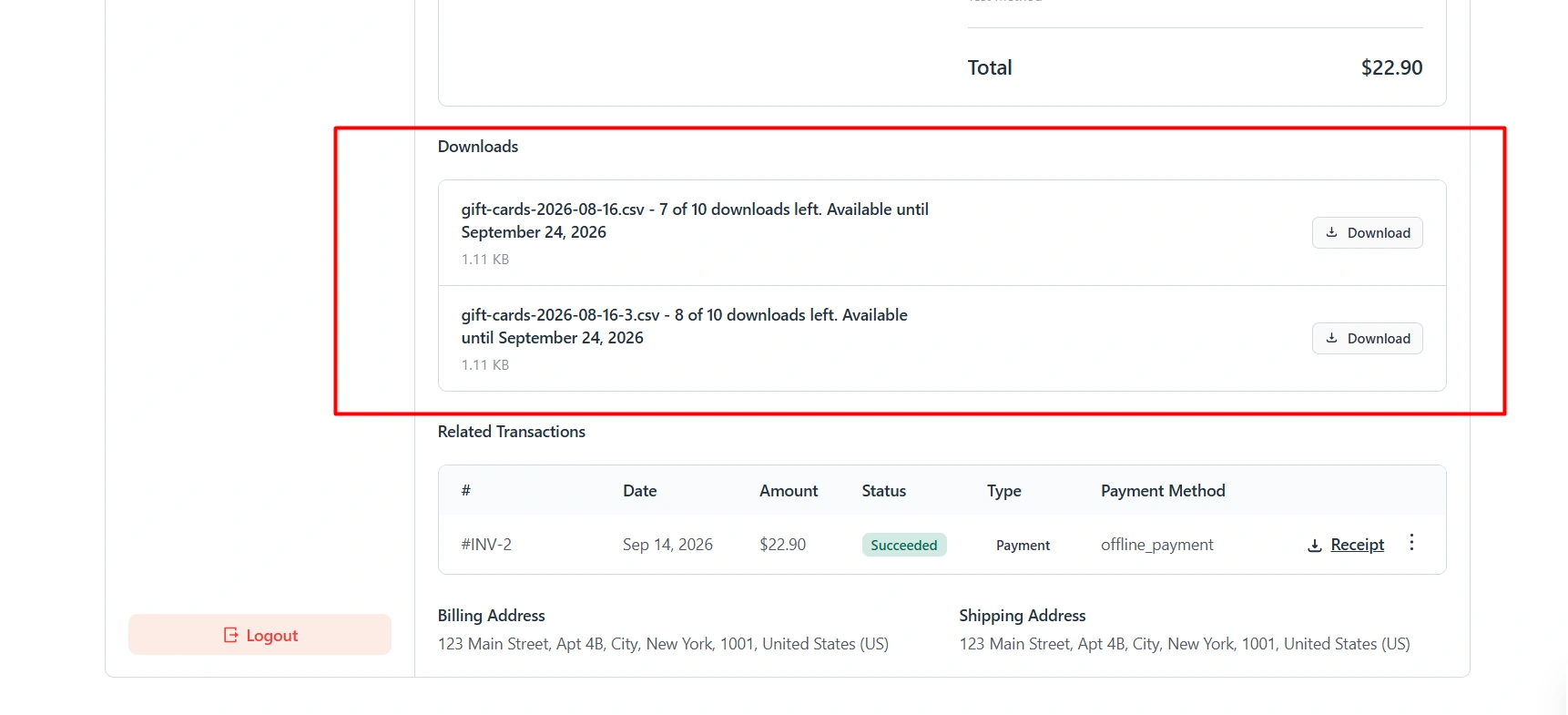
For paid one-time orders, cap how many times a file can be downloaded and how many days it stays available. Remaining count and expiry show on the customer order, the account download list, and the WP admin order view. Limit PDFs or all files, store-wide or for selected products, categories, or brands. After the limit, hide the file or keep it visible with an error. The download link will not work.
Use this for ebooks or course files you do not want shared forever. The remaining count on the customer portal updates as soon as a file is downloaded, without a page refresh.
Internal Product Data
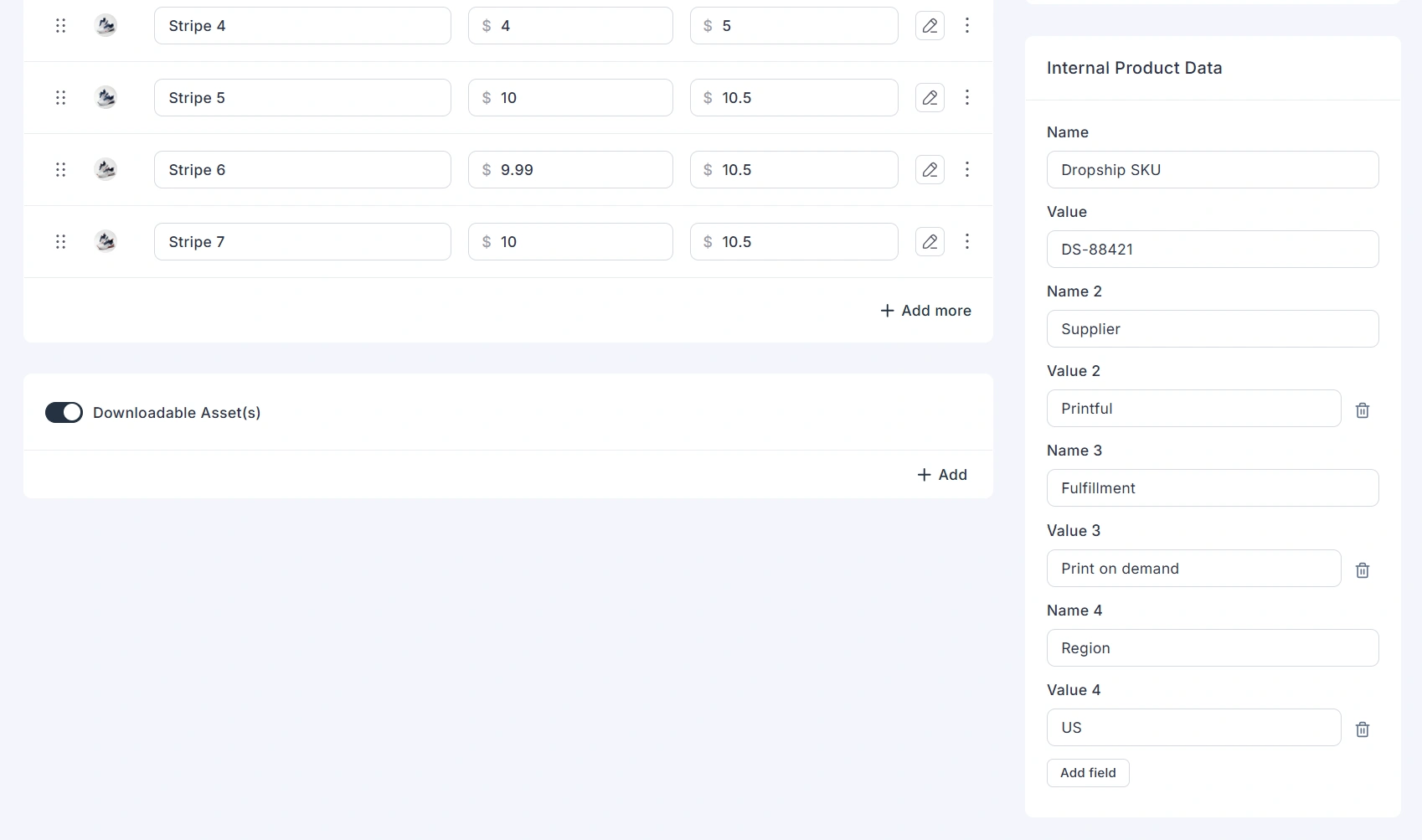
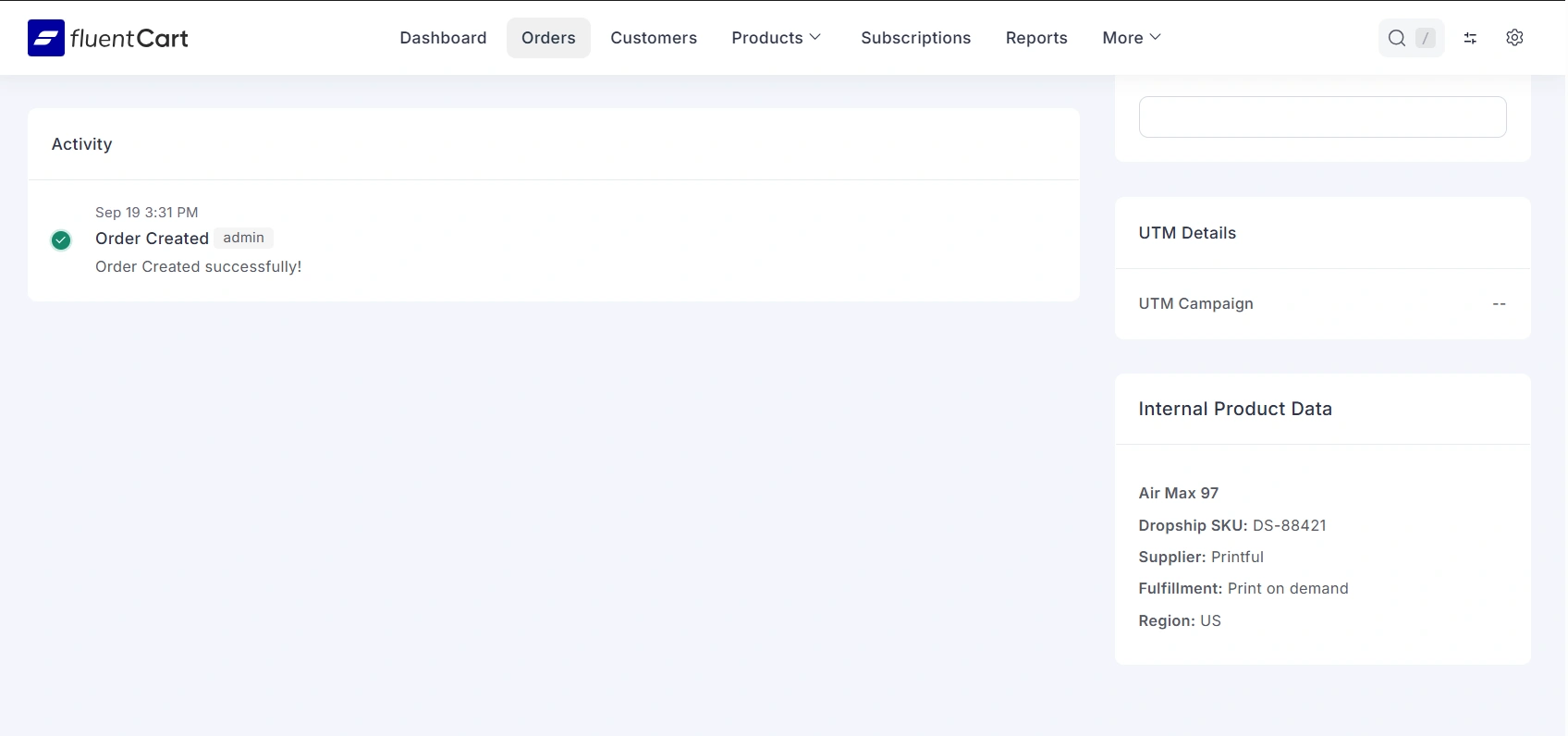
Add staff-only name and value rows on the FluentCart product editor, such as an External ID or ERP code. These rows stay off the storefront. When the product is sold, the same pairs copy onto the order so staff and an API can match the sale.
Use this when fulfillment or an ERP needs a code that shoppers should never see. The values stay on the admin product and the admin order.
Block purchases
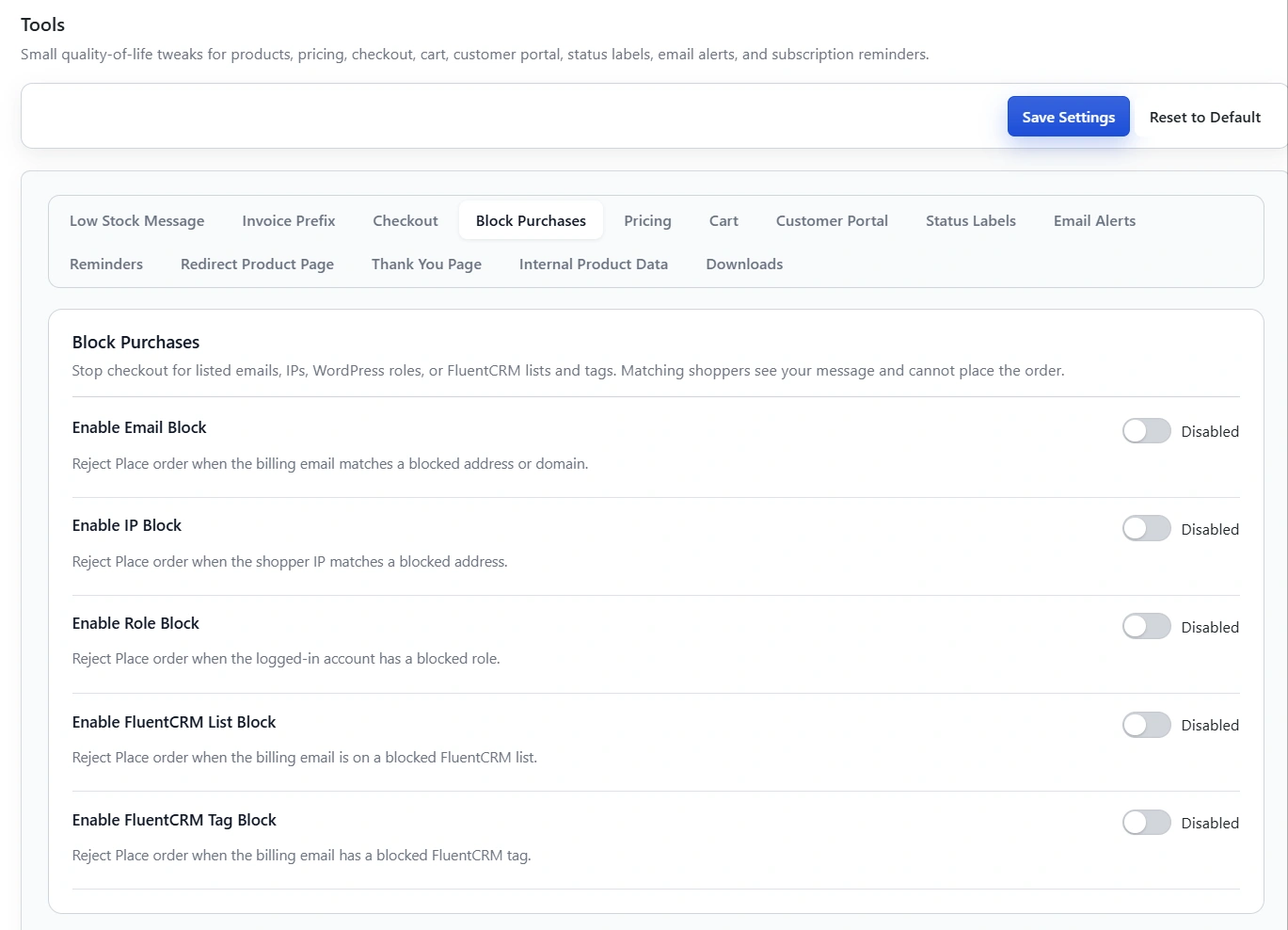
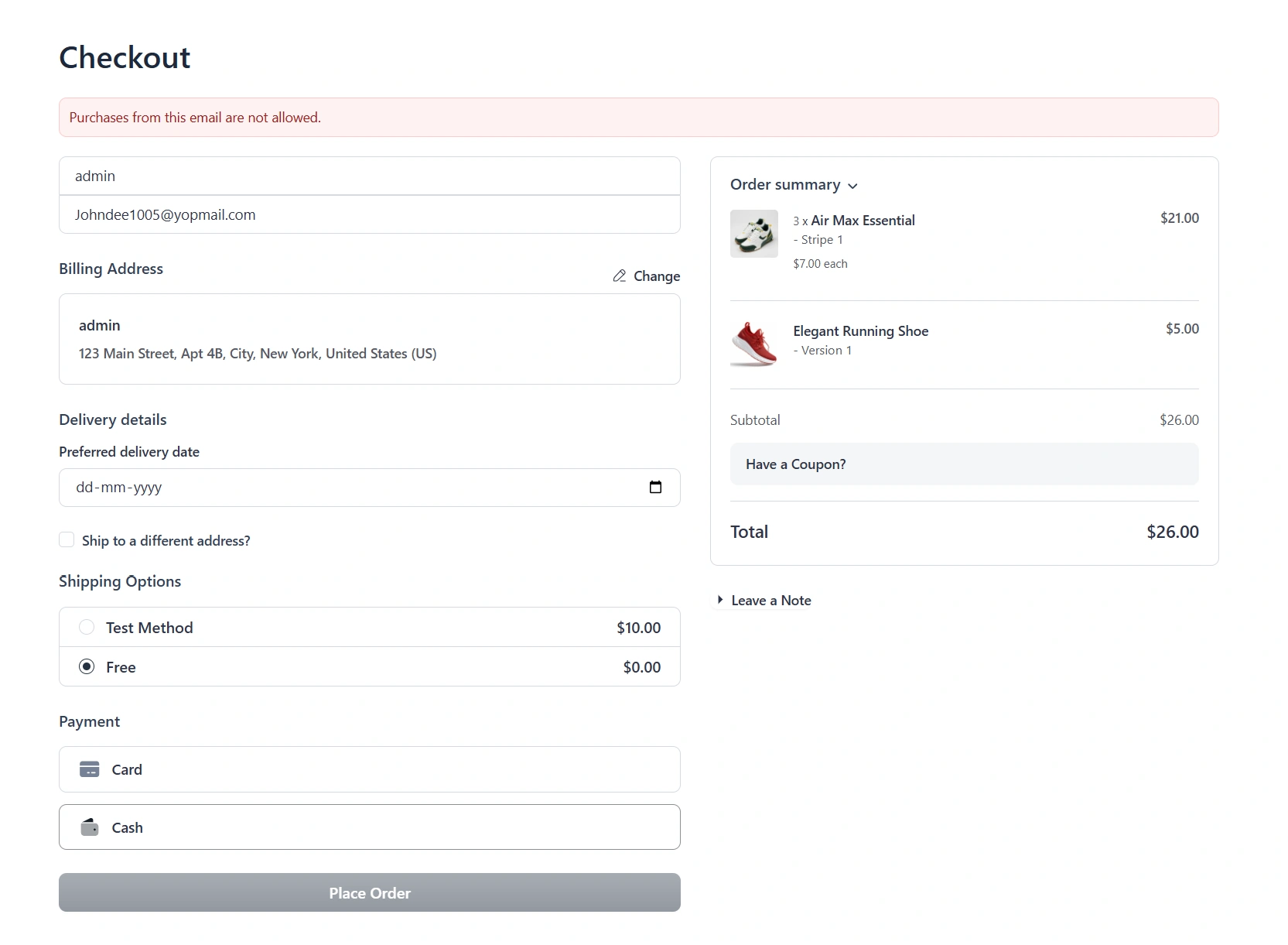
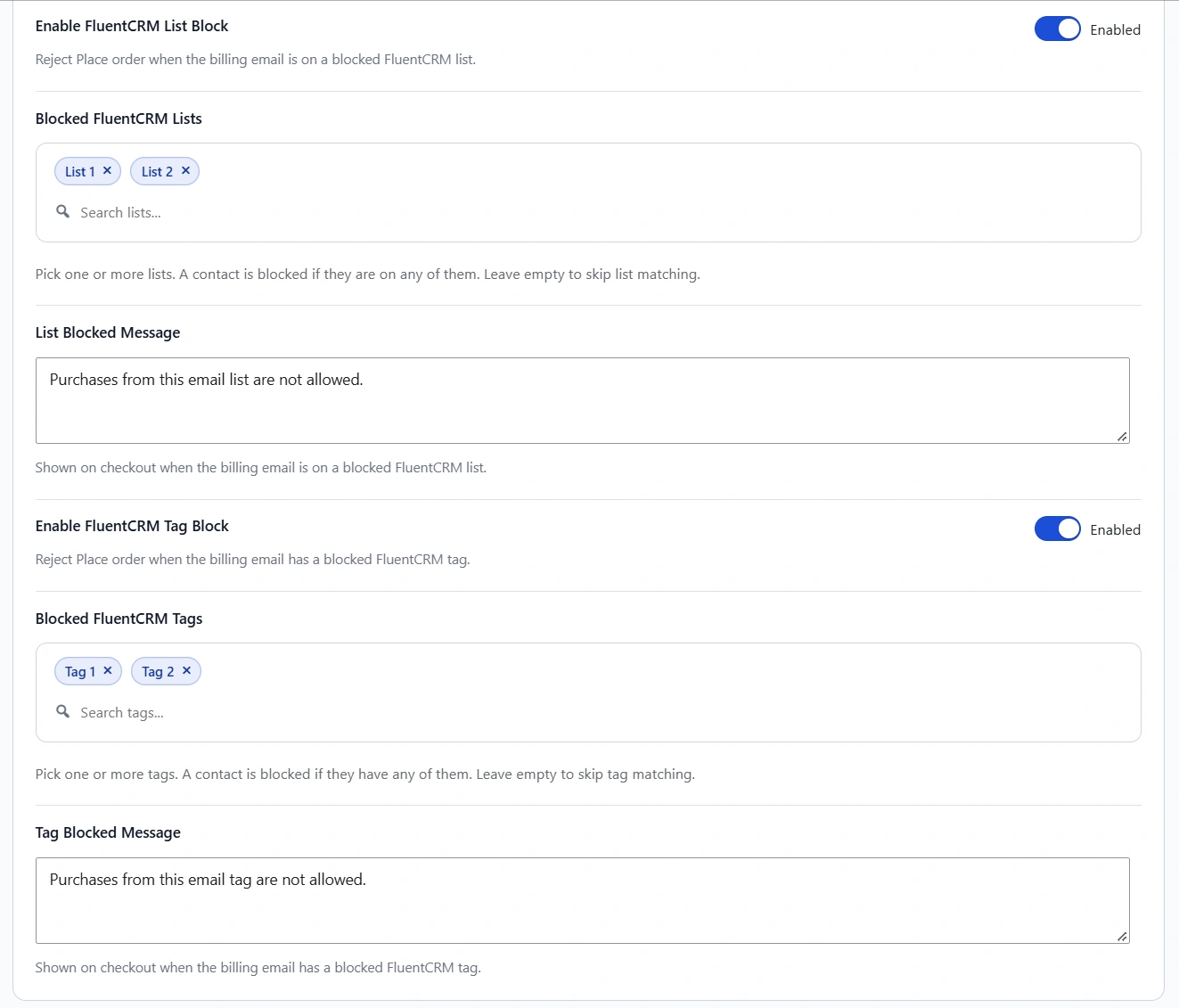
Stop matching shoppers from placing an order. Block by email, IP, WordPress role, or FluentCRM list and tag. Each rule has its own toggle and message, so you can explain why checkout is blocked. Matching shoppers cannot place the order.
Use this for known fraud emails, a blocked role, or a FluentCRM list or tag you do not want to sell to.
Date checkout field
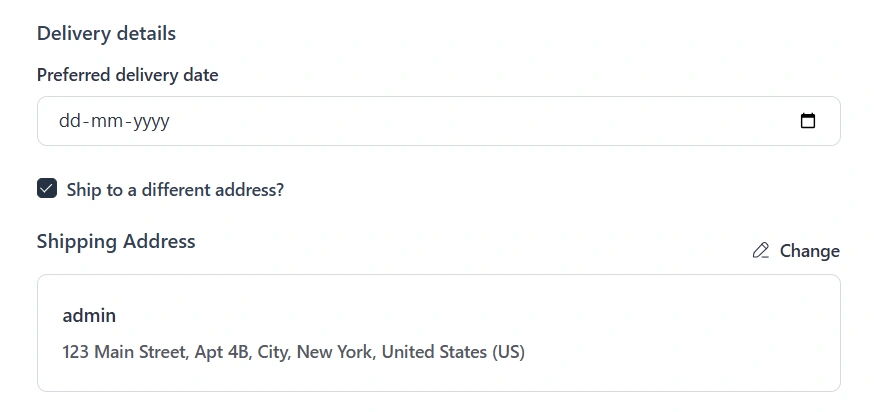
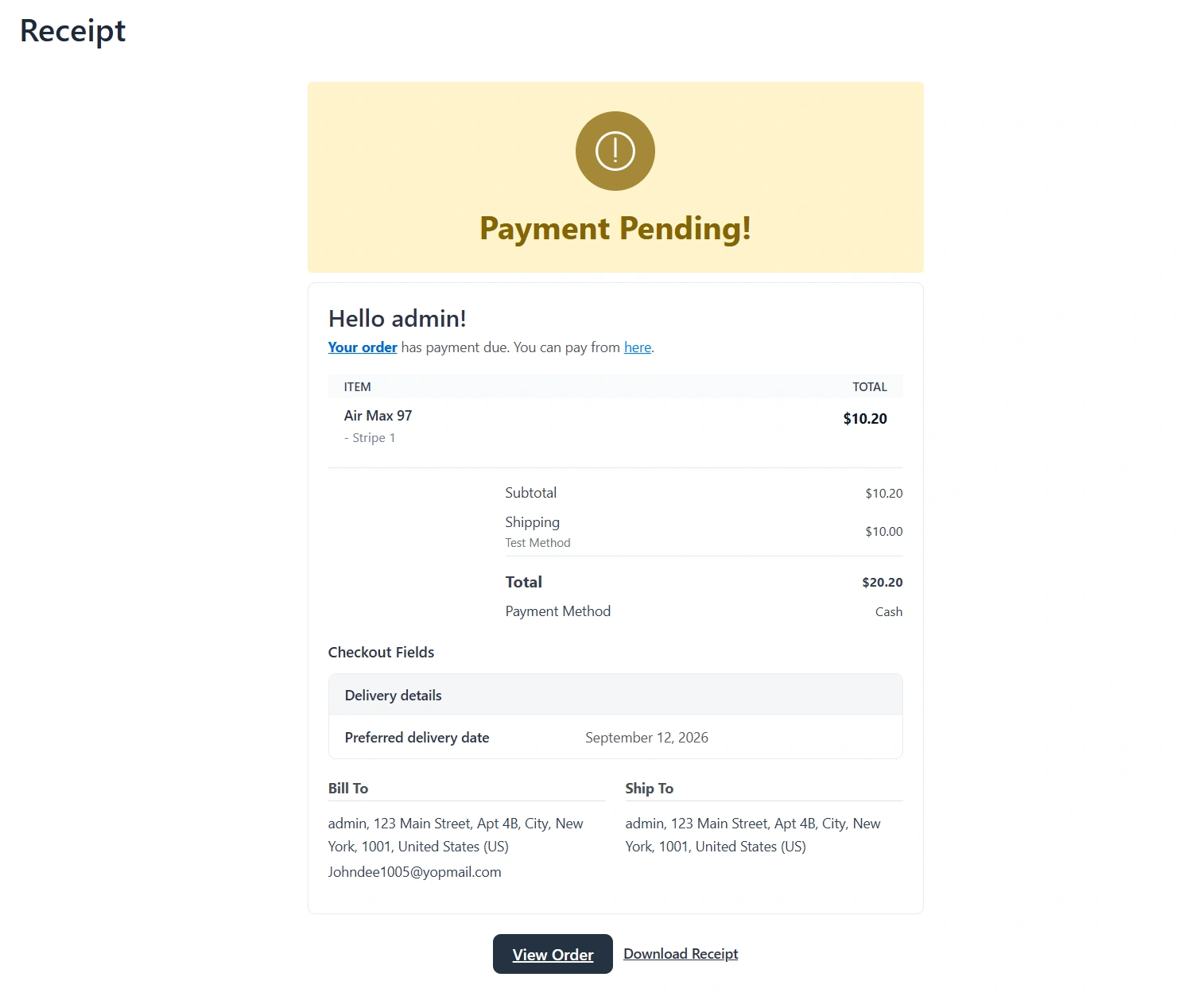
Checkout fields can be a Date picker. The shopper picks a date, it is stored on the order, and staff and the customer see it in the site date format.
Use it for a preferred delivery date, a class date, or an appointment date. Toolbox now has six field types: text, textarea, checkbox, select, file, and Date.
Show a field group only for roles or FluentCRM
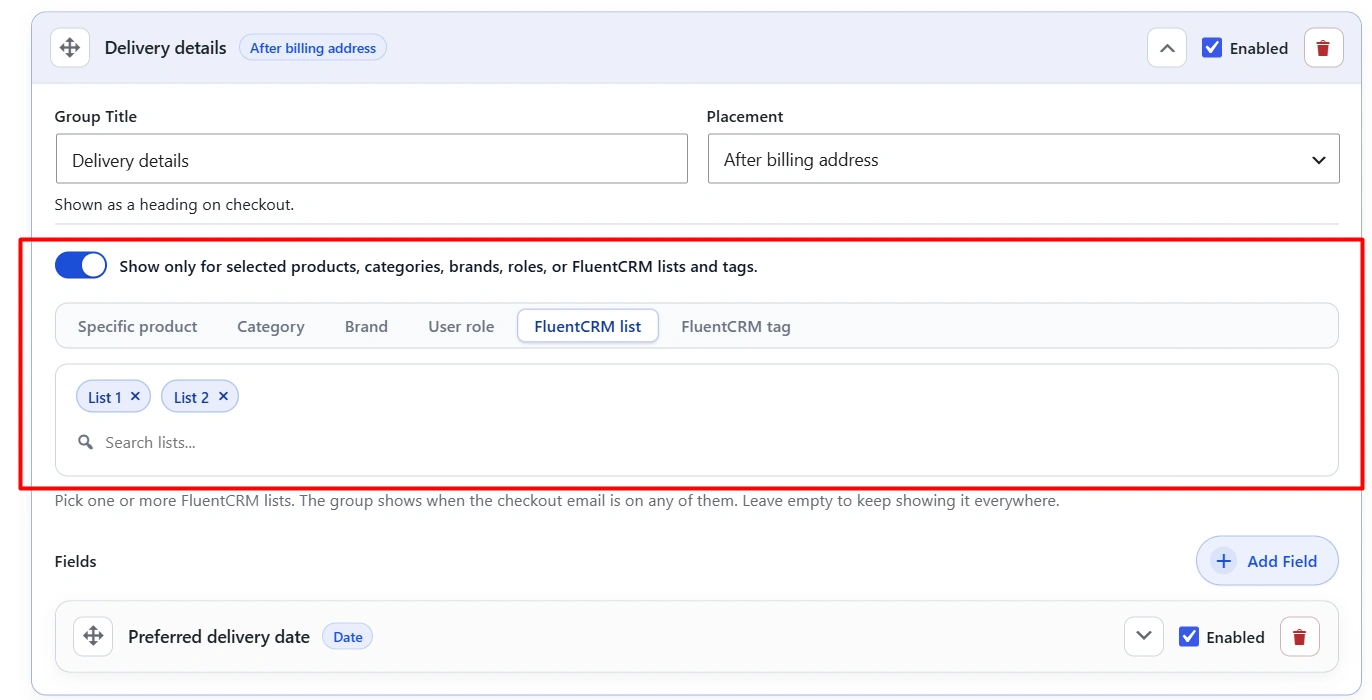
You can already show a checkout field group only for selected products, categories, or brands. 1.2 also shows a group only for selected WordPress roles, or FluentCRM lists and tags. Leave the picker empty to keep the group on every checkout.
Use this for a wholesale tax field that only certain roles should see, or a VIP-only note for a FluentCRM list or tag.
Get started
Update Toolbox from your WordPress dashboard. See pricing, screenshots and details on the Toolbox page, or browse every plugin on the FluentCart hub.

More from the blog
-

Wishlist 1.0.1: the heart stays with the variant
The wishlist heart stays clickable with image zoom, updates when the shopper changes a variant, and…
-
Toolbox 1.2.4: hold downloads until a date
Hold a file until a date and time, or limit who can download it, for the…
-

Introducing CartCubes Discount Rules for FluentCart
Automatic discounts for FluentCart, with no coupon code. Percentage off, fixed amount, fixed price, quantity tiers,…