
CartCubes Invoices for FluentCart 1.2.0 (21 Oct 2026) opens inside the FluentCart admin. You can number invoices yourself, print them with your store details, and add a discount, a line icon, or a due date. See the Invoices page and the changelog.
Invoices in the FluentCart menu
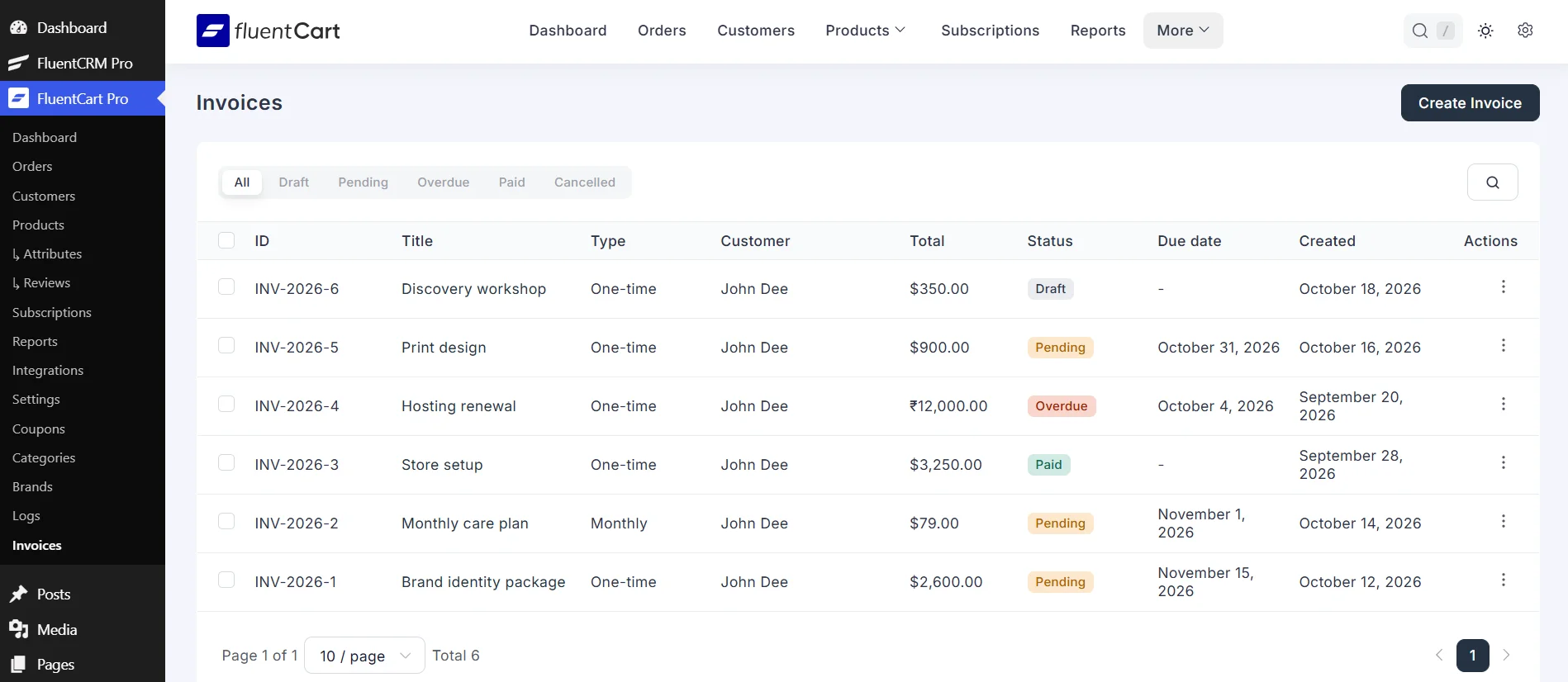
Open Invoices from FluentCart. The list shows the invoice number, title, type, customer, total, status, due date, and created date. Filter by status, search, and use the row menu or a bulk action.
Use this when you want to write and send an invoice without leaving the store admin.
Your own invoice number
Use your own number, or the FluentCart invoice number. With your own number, a prefix such as INV-{year}- can include the year, month, day, or a random code. The next invoice saved uses that prefix, then the counter moves up by one.
If you use the FluentCart number, the invoice first shows its id. After the order is paid, that id is replaced with the same invoice number FluentCart uses on the order invoice.
Print and view
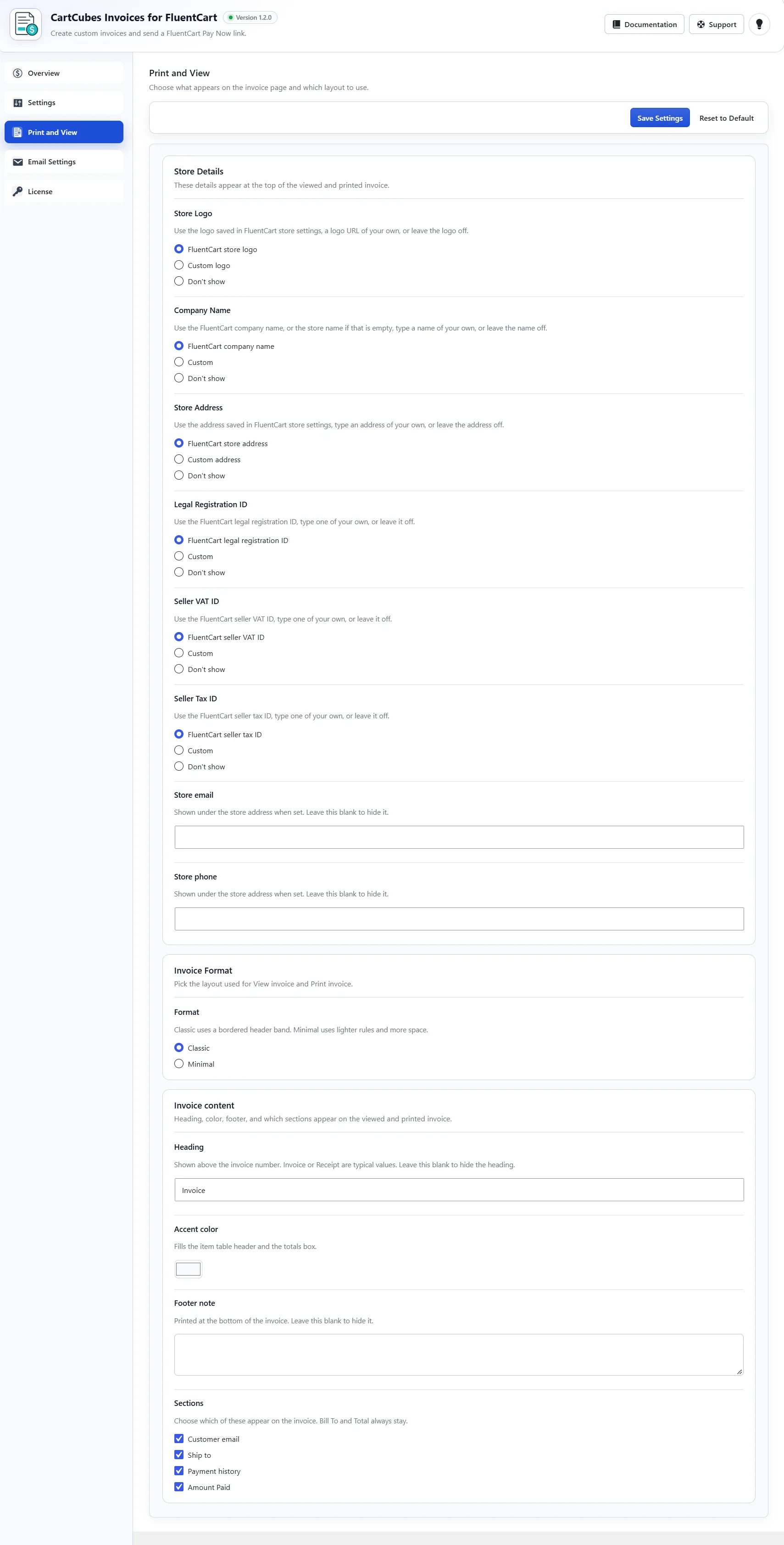
Logo, company, address, registration, VAT, and tax can use the FluentCart store details, your own text, or stay off the invoice. Set the heading, accent color, and footer, and choose whether the customer email, Ship to, payment history, and Amount Paid appear.
The document shows the create date, the due date when one is set, and the invoice number. Bill To and Total always stay.
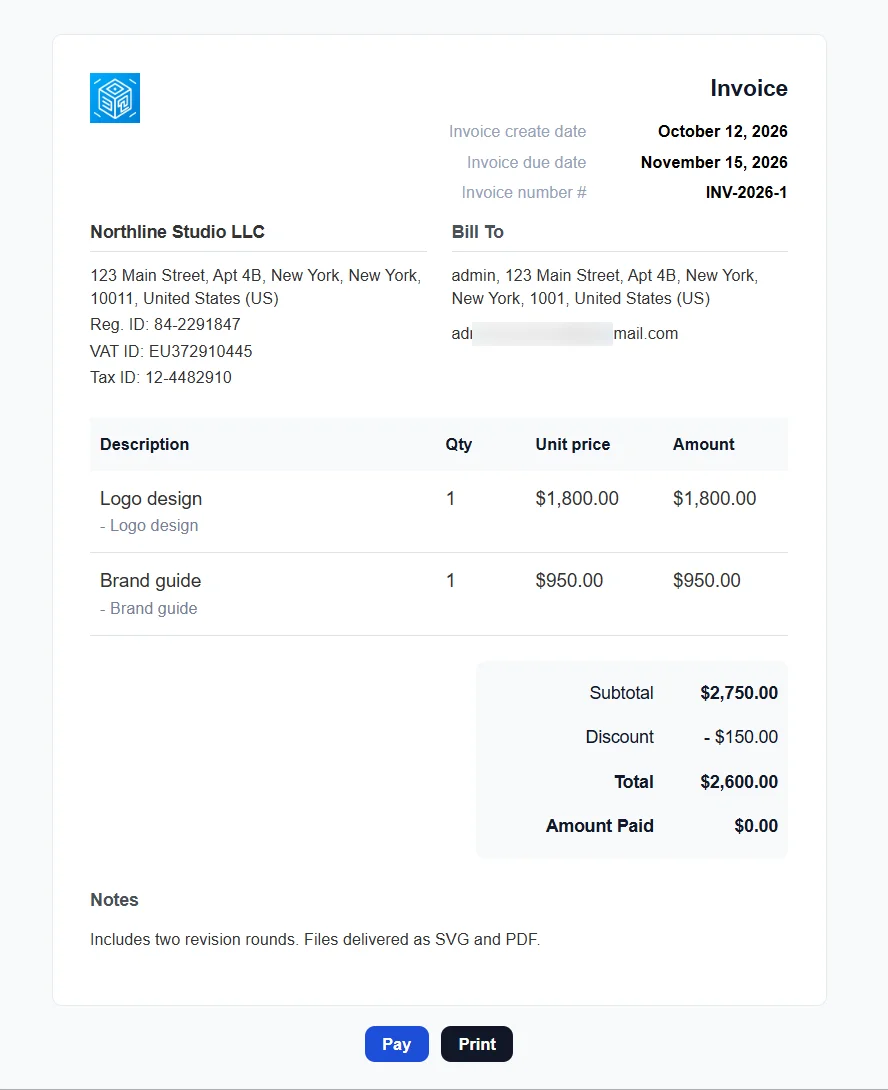
Lines, discounts, and notes
A one-time invoice can mix custom lines and store products. Custom lines can use an icon from the media library. Add a discount as an amount or a percent, with a reason the client can see. When FluentCart Multi Currency is on, charge the invoice in one of those currencies.
Set a due date, or leave it empty. Internal notes stay private unless you turn on Show note on invoice.
Get started
Update Invoices from your WordPress dashboard. See pricing and screenshots on the Invoices page, and the full notes on the changelog.
More from the blog
-
Toolbox 1.2.8: order documents and repeat subscriptions
Attach PDFs to the customer order confirmation, and stop a second purchase of an active or…
-

Introducing CartCubes Trick-or-Treat for FluentCart
A free cart and checkout bar. Shoppers see the trick until they reach a goal, then…
-
Toolbox 1.2.5: checkout answers on the FluentCRM contact
Save a checkout answer on a FluentCRM custom field. Leave the field blank and the answer…