

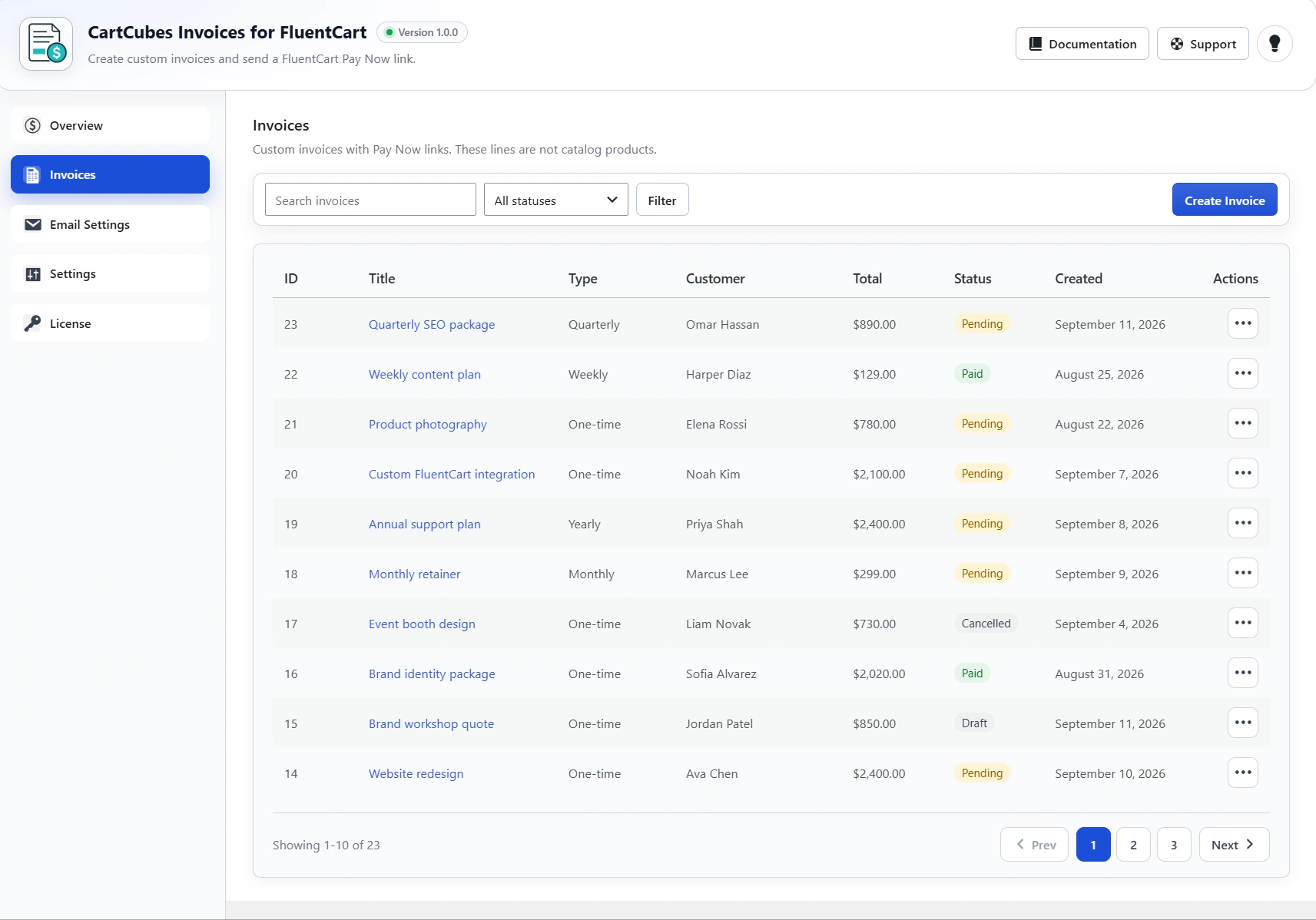
Some store owners need to bill for work, retainers or custom amounts that are not catalog products. CartCubes Invoices for FluentCart covers that: you write an invoice with custom lines, then copy or email a Pay Now link. The client pays in FluentCart instant checkout. Prices come from the invoice, not the URL.
Custom invoices, not catalog products
These lines are not shop products. Add one-time lines with a title, amount and quantity, or a subscription amount billed on a schedule, with optional trial days and a signup fee. During a trial, checkout charges only the signup fee or $0 until the trial ends.
How it works
- Search or add customer details – search an existing FluentCart customer, or add a name and email for this invoice.
- Add lines or a subscription – one-time invoices can have multiple lines. Subscription invoices use one amount, billed on a schedule.
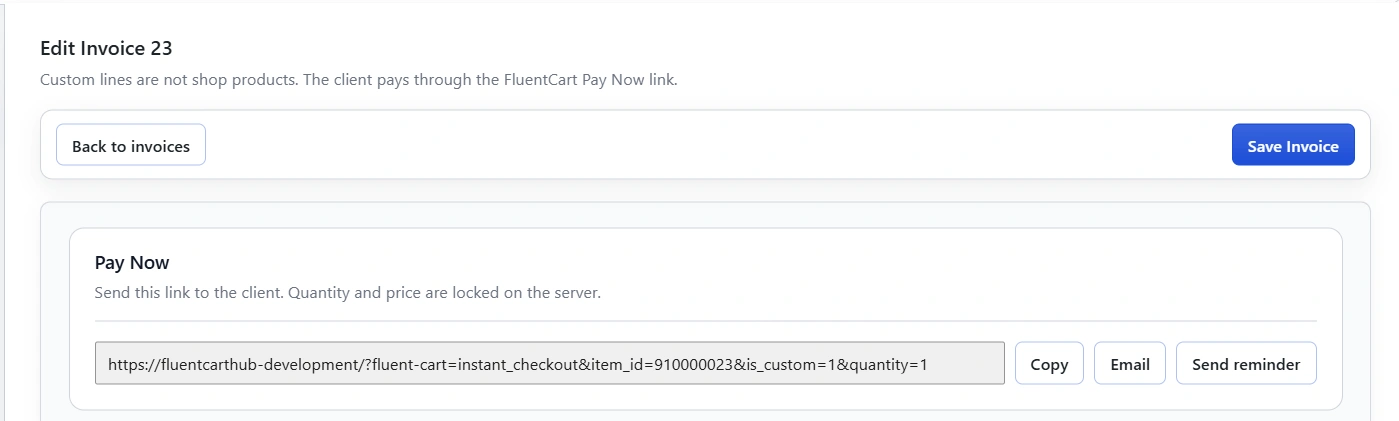
- Save as pending and send – copy the Pay Now link, or email it to the client. You can also save a draft first.
- The client pays in FluentCart – the link opens FluentCart instant checkout. Prices come from the invoice, not the URL.
- The invoice is marked paid – after payment, the invoice is linked to the FluentCart order. You can also mark a pending invoice paid without a checkout, or cancel so the Pay Now link stops working.
Pay Now, emails and reminders
Quantity and price are locked on the server, so the checkout total comes from the invoice, not from the URL. You can block coupons on that checkout, send a Pay Now or Reminder email from the list or the edit screen, and optionally send one automatic reminder after an invoice has been pending for a set number of days.
- Actions – view, copy link, email, send reminder, mark paid without checkout, or cancel so the Pay Now link stops working.
- Admin notes – private notes on the invoice. The client does not see these.
Get started
CartCubes Invoices for FluentCart is available now. See pricing, screenshots and details on the Invoices page, or browse every plugin on the FluentCart hub.

More from the blog
-
Wishlist 1.0.1: the heart stays with the variant
The wishlist heart stays clickable with image zoom, updates when the shopper changes a variant, and…
-
Toolbox 1.2.4: hold downloads until a date
Hold a file until a date and time, or limit who can download it, for the…
-

Introducing CartCubes Discount Rules for FluentCart
Automatic discounts for FluentCart, with no coupon code. Percentage off, fixed amount, fixed price, quantity tiers,…