
CartCubes Toolbox for FluentCart 1.2.4 (10 Oct 2026) lets you hold a file until a date and time, or limit who can download it. Set this for the whole store, or on each product. See the Download access page and the changelog.
Store-wide access
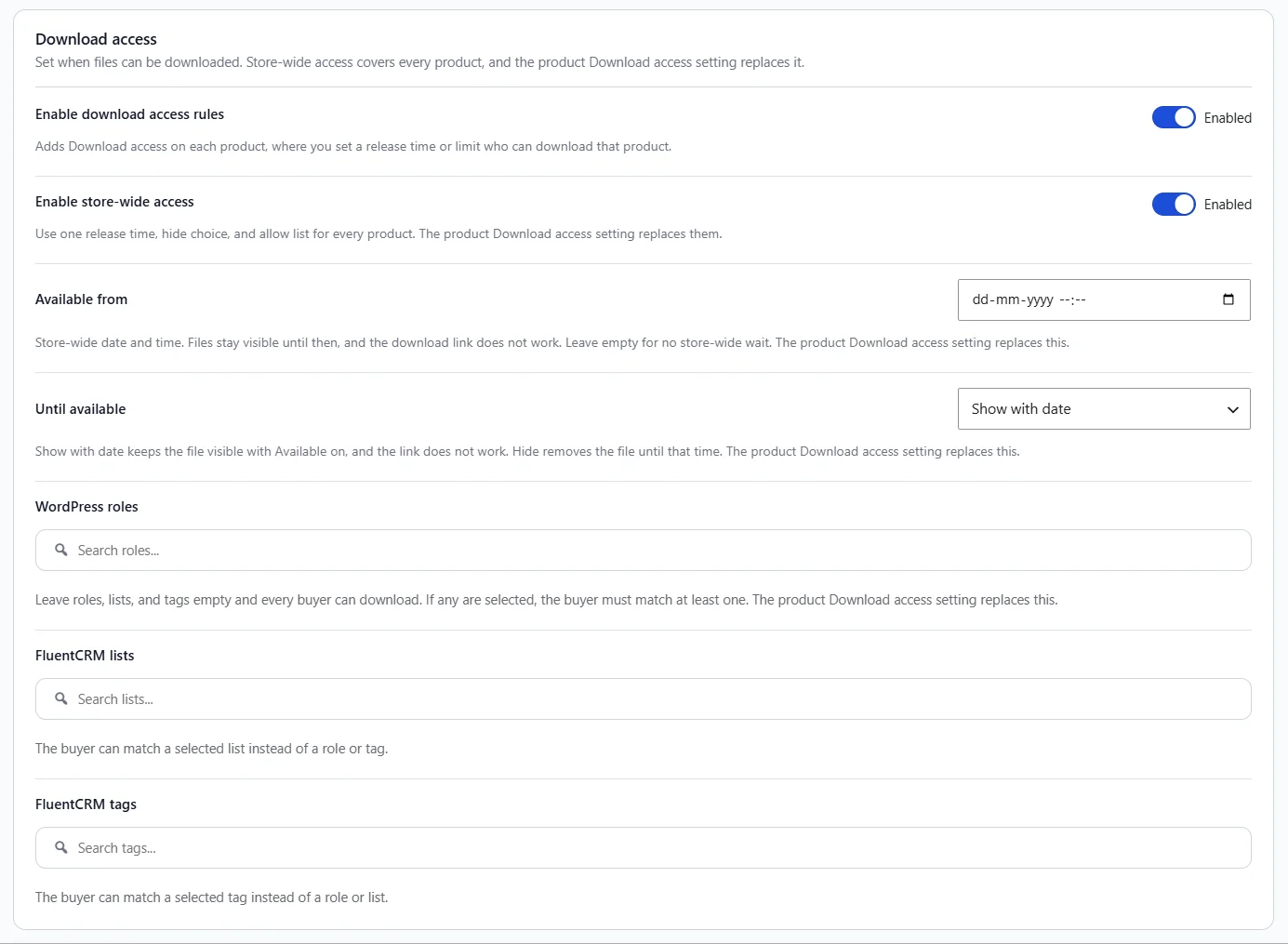
Open FluentCart, then Toolbox, then Tools, then Downloads. Turn on Enable download access rules. That adds Download access on each product. Turn on Enable store-wide access when you want one release time, hide choice, and allow list for every product.
Available from is the store date and time. Leave it empty for no store-wide wait. Until available can show the file with that date, or hide it until then. You can also limit downloads to WordPress roles, FluentCRM lists, or tags. Leave those empty so every buyer can download. A buyer can match any one role, list, or tag.
Use this when a launch date should apply to every download, and a product can still override it.
On each product
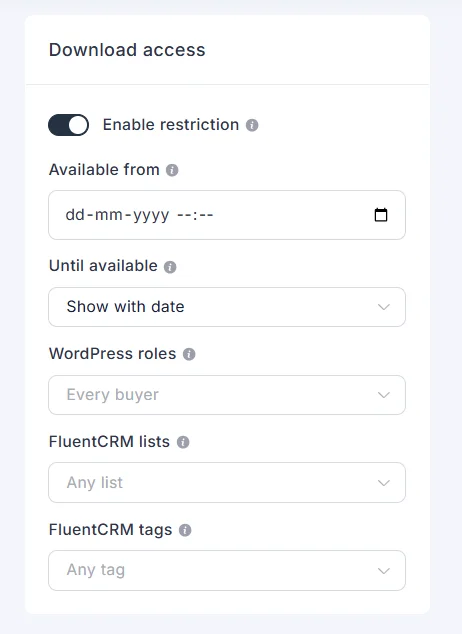
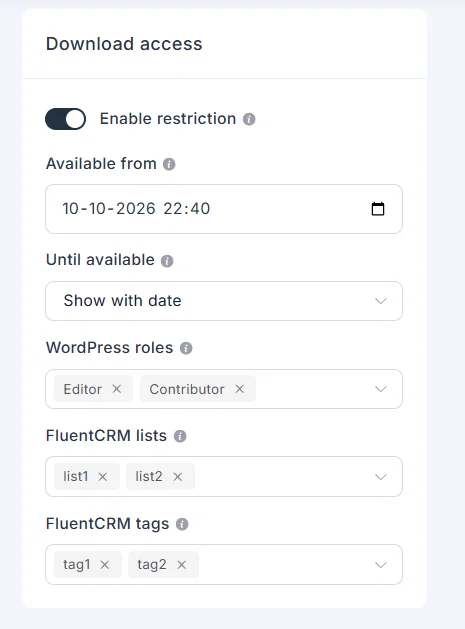
On the product, turn on Enable restriction to replace the store date, the hide choice, and the allow list. Leave the product allow list empty to keep the store list. When restriction is off, store-wide access still applies.
Show with date keeps the file visible and shows Available on that date. The download link does not work yet. Hide removes the file until the date.
What the customer sees
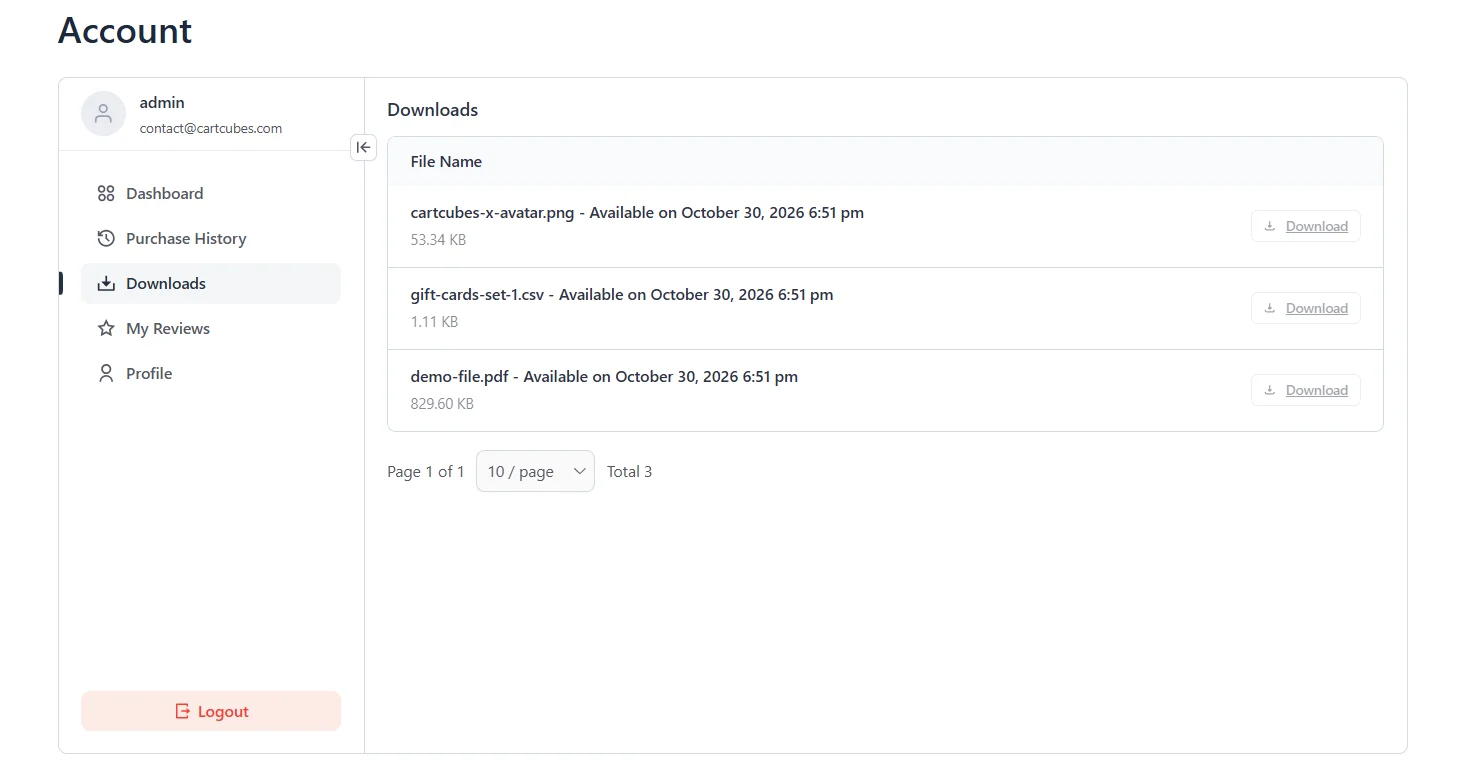
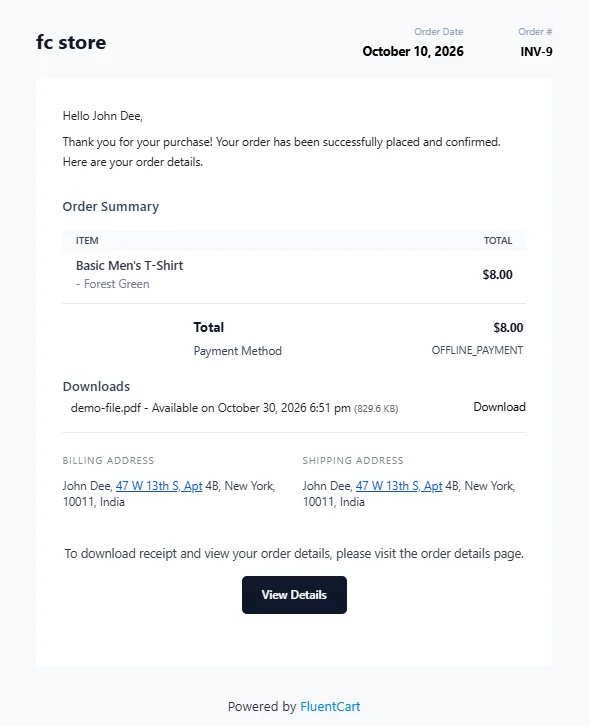
Before the release time, the account Downloads tab and the receipt page show Available on that date. The Download button stays disabled until then. The order email lists the file the same way.
Get started
Update Toolbox from your WordPress dashboard. See pricing and screenshots on the Download access page, and the full notes on the changelog.
More from the blog
-

Wishlist 1.0.1: the heart stays with the variant
The wishlist heart stays clickable with image zoom, updates when the shopper changes a variant, and…
-

Introducing CartCubes Discount Rules for FluentCart
Automatic discounts for FluentCart, with no coupon code. Percentage off, fixed amount, fixed price, quantity tiers,…
-
Toolbox 1.2.1: product order, external links, and account tabs
Set the shop product order, replace Add to Cart with an external link, and limit an…